Why Migrations Go Wrong
A new website should help your business. But I’ve seen plenty of redesigns where traffic dropped right after launch — not because the new site was worse, but because the move wasn’t planned.
Old pages disappeared. Links from Google led to “page not found” errors. Titles and descriptions that had been ranking for years were replaced or left blank.
The good news is that a careful migration protects what you’ve already built. Here’s the checklist I use when moving a site to WordPress — whether it’s coming from Squarespace, Wix, an older WordPress theme, or a custom-coded site.
Before the Move: Take Inventory
- Export a list of every URL on your current site (your sitemap and Google Search Console are good starting points)
- Note which pages get the most traffic and which ones bring in inquiries
- Record current page titles and meta descriptions
- Save copies of important content, images, and downloadable files
- Write down every form, integration, and tracking code the old site uses
This inventory becomes your safety net. If a page matters, it needs a plan.
Plan Your Redirects
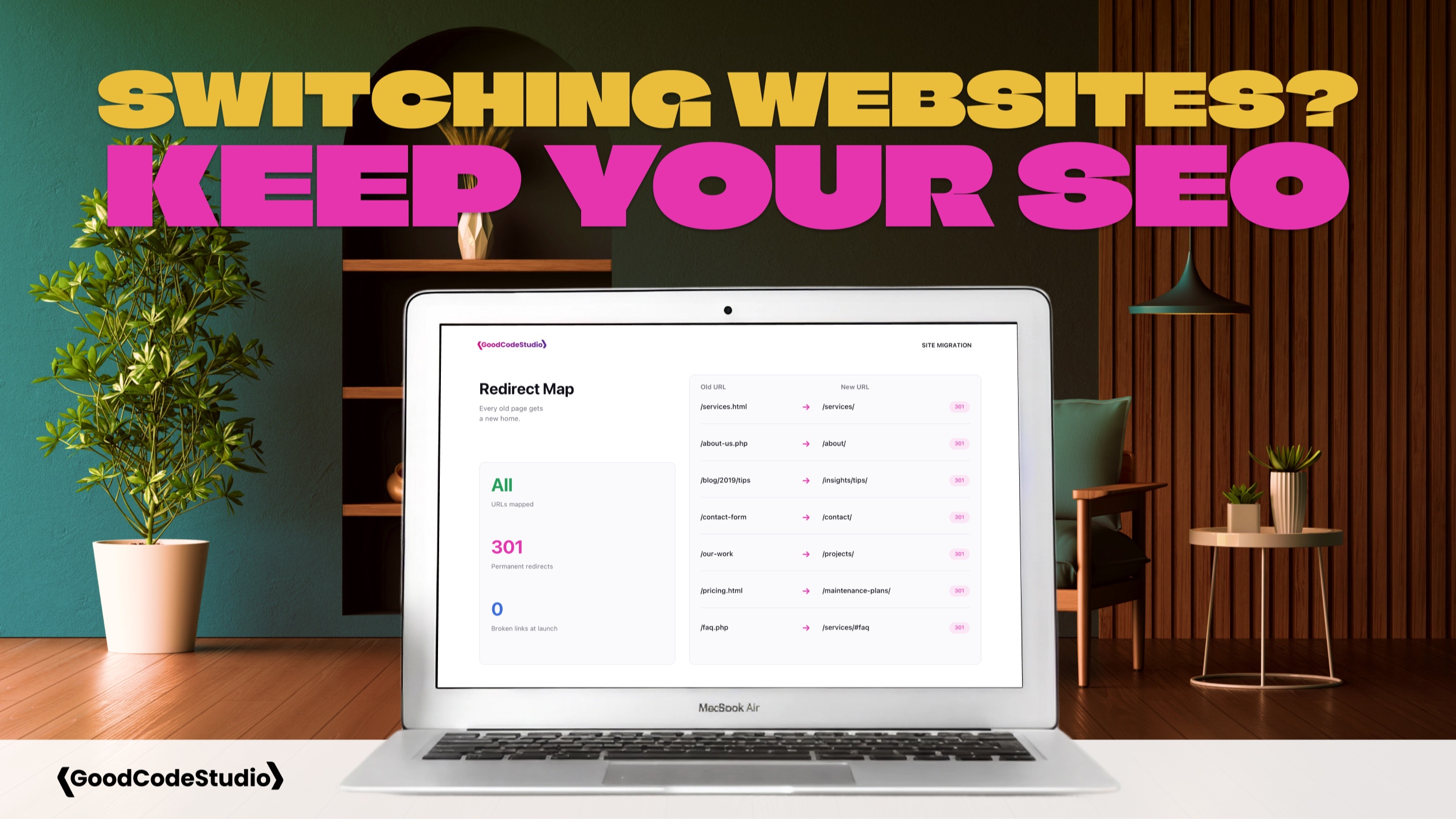
Redirects are the single most important part of an SEO-safe migration. A 301 redirect tells search engines — and visitors — that a page has moved permanently, and it passes along most of the value that page has earned.
- Map every old URL to the most relevant new page
- Avoid sending everything to the homepage; match topics as closely as you can
- Keep redirects one step (old page to new page), not chains
- Plan redirects for old blog posts, PDFs, and image URLs that people link to
I also use migrations as a chance to clean things up. If several old pages cover the same topic, they can be combined into one stronger page, with the others redirecting to it.
Rebuild the SEO Foundations
On the new WordPress site, make sure the basics carry over — or improve:
- One clear H1 heading on every page
- Unique page titles and meta descriptions
- Clean, readable URLs
- Image alt text
- Internal links between related pages and services
- Structured data for your business, services, and articles
This is also a good time to fix issues the old site had, like missing descriptions or pages that never should have been in search results.
Test Before Launch
- Click through every page on desktop and mobile
- Submit every form and confirm the emails arrive
- Test the redirect list against the new site
- Check page speed and fix anything slow
- Make sure the staging site is hidden from search engines — and that the live site isn’t
That last one causes more problems than you’d expect. A single “discourage search engines” setting left on at launch can quietly remove a site from Google.
Launch Day and After
- Submit the new sitemap in Google Search Console
- Watch for 404 errors and add redirects for anything missed
- Monitor traffic and rankings for the next several weeks
- Update your Google Business Profile and other listings if any URLs changed
Some small fluctuation after a migration is normal. A big, lasting drop usually points to missing redirects or indexing problems — both fixable when you catch them early.
Final Thoughts
A website migration is a chance to make your site faster, clearer, and easier to manage. With a plan, you don’t have to trade your search visibility for a better design.
If you’re planning a move to WordPress, I can help with the strategy, redirects, and technical SEO so your new site starts strong. Get in touch to talk through your migration.